

Developer Storage Workflow
Clean up Rust target/ and Git worktree build caches without breaking active builds.
Parallel Git worktrees let humans and coding agents work on multiple branches at once—until four separate Cargo target/ folders quietly swallow 60+ GB of your Mac SSD.
Published · Rust, Cargo, Go & macOS APFS
rm -rf **/target across active Git worktrees. First compare two scans in Cublet’s Growth view to separate static archives from fast-growing build outputs, then reclaim stale rebuildable Rust target/ and Go build caches either manually after inspection or through Cublet’s scoped reclaim_space MCP tool—which checks for active builds before deleting.
1. Why the Largest Folder Is Usually the Wrong Suspect
When a drive hits 98% mid-compile, traditional disk maps point you at the biggest rectangle—often a stable photo library, media archive, or the active branch you are currently compiling. What actually pushed your drive over the cliff is recent growth.
Here is a controlled verification example from Cublet’s 0.6.2 engine showing why scan-diff attribution beats single-point sorting:
| Folder | Baseline Scan | Latest Scan | Growth Delta |
|---|---|---|---|
| Archive (largest folder) | 16 MiB | 16 MiB | 0 MiB |
| BuildCache | 4 MiB | 12 MiB | +8 MiB |
| Logs | 1 MiB | 3 MiB | +2 MiB |
| Total | 21 MiB | 31 MiB | +10 MiB |
Even though Archive remained the biggest directory overall, 80% of the new disk pressure came from BuildCache (+8 MiB) and 20% from Logs (+2 MiB). Across multi-worktree Rust repositories, the same pattern scales to tens of gigabytes.
2. Workflow A: Visual Inspection & Manual Review
- Open Cublet’s Space Explorer on your projects root (for example
~/projects). - Drill into the largest worktree blocks to inspect nested
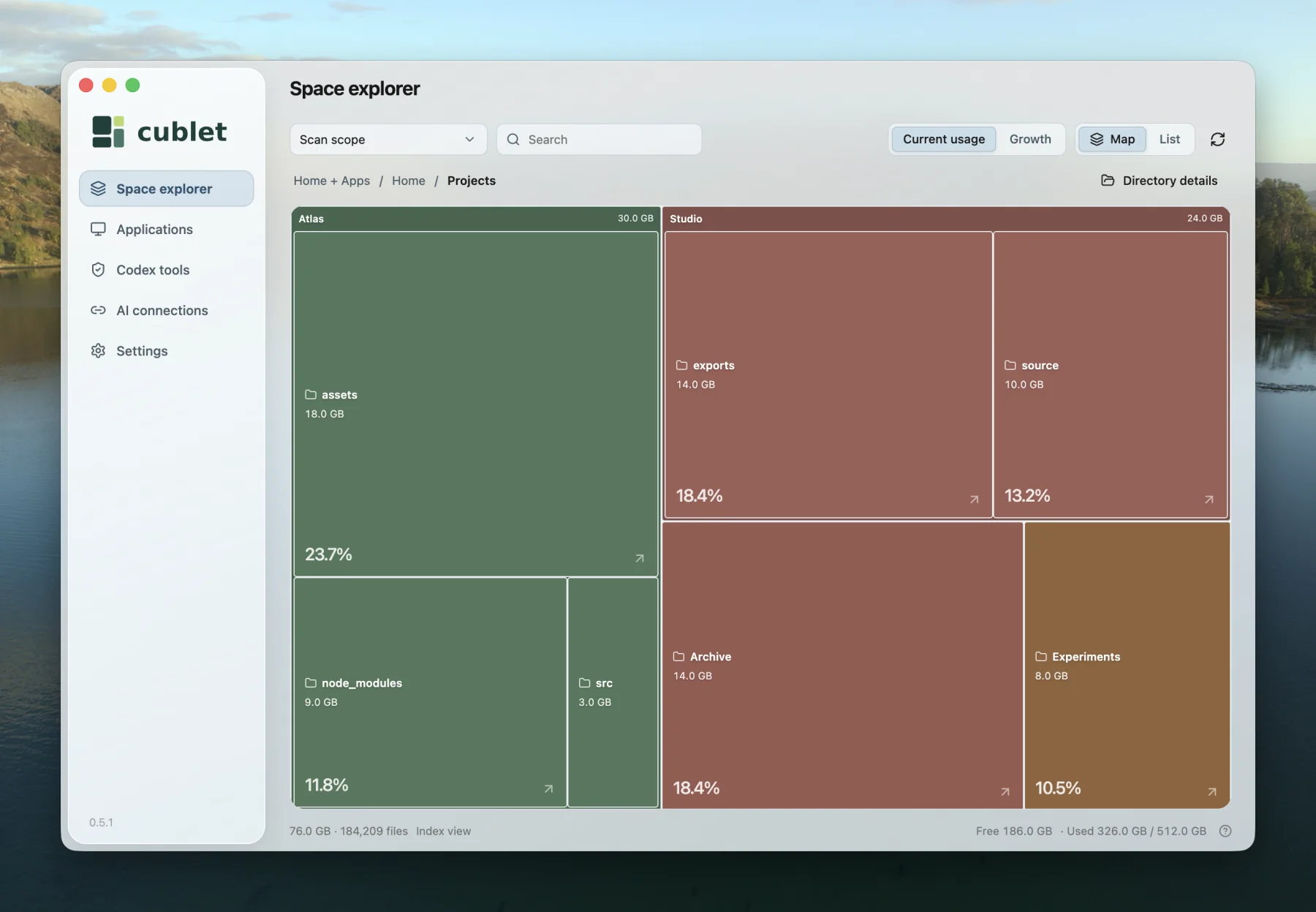
target/debug,target/release, and Go cache directories. - Switch to Growth after a day of branch switching to see which worktree actually added gigabytes since your previous SQLite baseline (stored measurements restore in 75 ms on our 52,009-directory benchmark fixture).
- Reveal stale worktree caches in Finder before removing them—leaving your active branch’s incremental build intact.
3. Workflow B: Let Claude Code or Codex Recover Space Safely via MCP
If a coding agent hits No space left on device during cargo test or cargo build, connect Cublet Cleaner (MCP) so the agent does not waste minutes running exploratory shell loops:
- The agent invokes
reclaim_spacewith the workspace directory you authorized and the free-space target it needs. - Cublet verifies candidate caches are rebuildable Rust
target/or Go caches and checks whether an active build is using them. - Cublet permanently removes eligible stale caches, confirms sustained APFS available space, and hands back a compact summary so your build resumes immediately (~73% less recovery time and 58–66% fewer total tokens in our APFS benchmark).
Frequently asked questions
Why does a Rust repo with 3–4 Git worktrees fill a Mac SSD so quickly?
Cargo places compiled artifacts in a separate target/ directory inside each Git worktree by default. Four active feature worktrees can duplicate gigabytes of incremental compilation caches and debug symbols.
Why not just run find . -name target -exec rm -rf {} +?
Blind recursive deletion can wipe a target/ directory actively being compiled in another terminal or agent session, forcing a full cold rebuild, and it misses non-target growth such as logs or Go build caches.
Can Cublet clean Rust and Go caches through Claude Code or Codex?
Yes. With Cublet Cleaner (MCP) configured, your agent calls reclaim_space with your authorized directory scope and target free space. Cublet checks whether candidate caches are rebuildable and in use before deleting them.