

Introducing Cublet for macOS
Mac disk full? See what grew with Cublet.
Our Mac kept running out of space while we were working on a Rust project. We’d ask a coding Agent to free up enough room to continue. One cleanup was still running three hours later.
· macOS 13 or later · Apple Silicon and Intel
Download Cublet for MacWith several Git worktrees, each branch can leave behind its own build outputs. The biggest directory might belong to the build you’re still running. An older worktree can hold gigabytes of outputs you could rebuild, buried a few levels down. You can delete a large folder and still come up short if another process keeps writing to the same disk.
Each time we handed the problem to an Agent, it had to work out what grew, which files were safe to touch, and whether clearing them made enough room to resume the build. Scanning and rechecking took time, and the Agent spent tokens reading tool output about the filesystem while the original task sat idle.
We built Cublet to get back to the work that was interrupted. A disk treemap shows where the space went. Saved scans show what changed. A local MCP tool gives the Agent a way to recover usable space within the scope you authorize, then check the result.
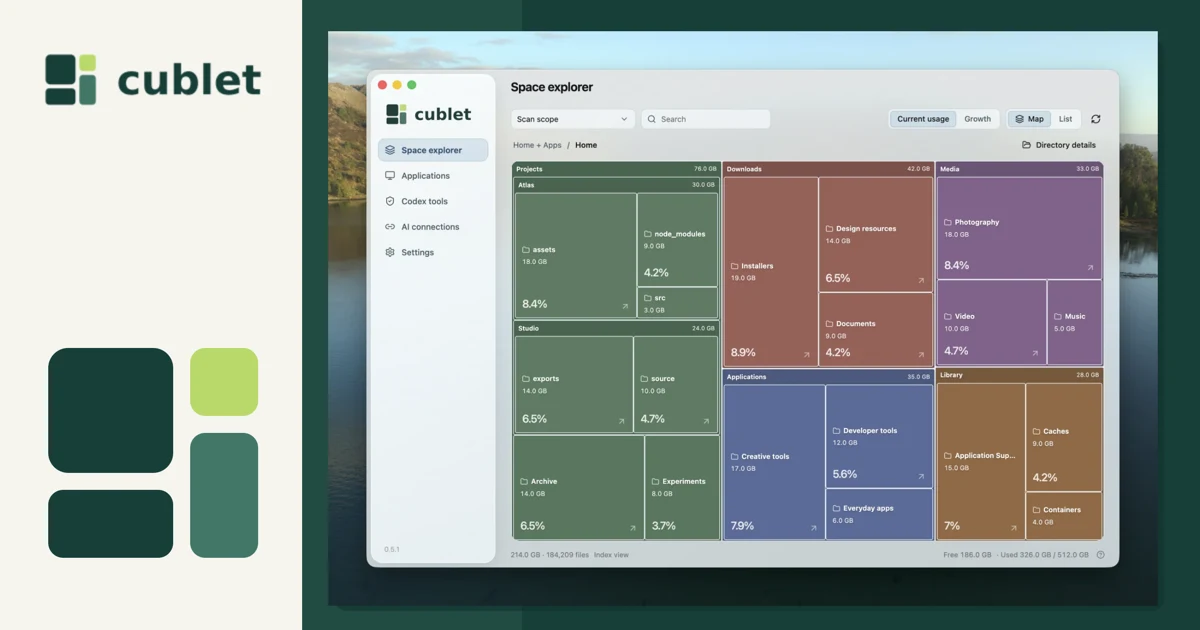
1. A disk map that gives large folders their due
A folder name tells you little about its size. Cublet’s Space Explorer makes that size visible: its treemap gives more room to the items that occupy more allocated disk space. An old export or a large project folder becomes a place to investigate instead of another line to search for.
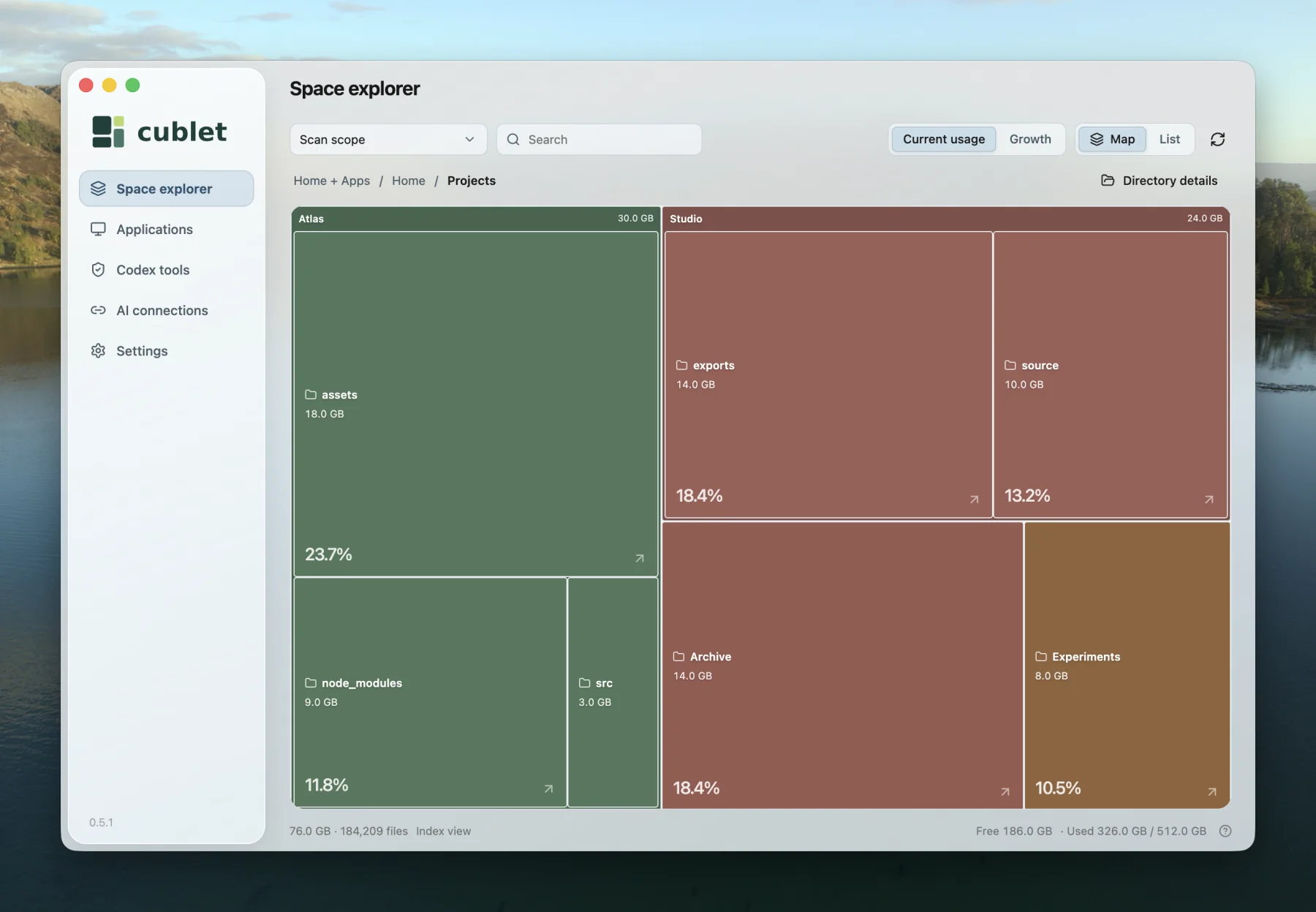
The map and directory list work together. You can move into a folder, inspect an item, and reveal it in Finder before deciding what to do with it. Analysis runs on your Mac within macOS permissions; Cublet reports incomplete coverage when it cannot read part of the selected scope.
2. The missing context: what grew?
Today’s largest folder is not always the reason you lost space this week. A photo library may have stayed the same while a much smaller cache doubled. Growth compares completed measurements of the same scope so that the change has a shape of its own.
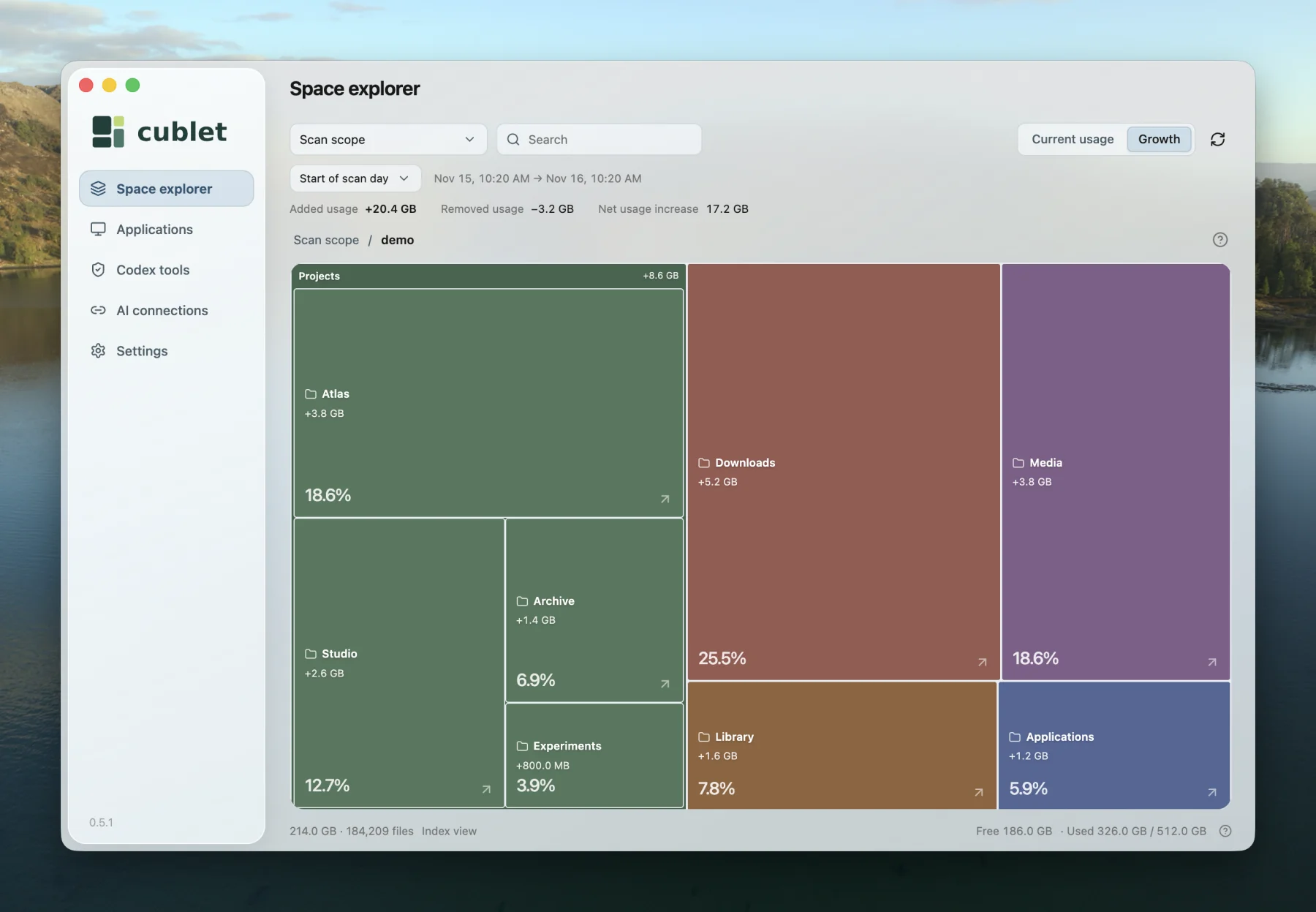
Cublet separates added usage, removed usage and net change. Its growth map highlights increases, so a growing folder stays visible even when deletions elsewhere make the overall change negative. You can choose a retained baseline, check the comparison period, and follow the change into the folder’s current contents.
Growth needs a comparable retained scan. History stays in Cublet’s local cache, and older measurements may leave as its budget fills. The comparison describes its two endpoints; moves, renames and hard-link attribution can also appear as changes.
3. Give your Agent a cleanup goal
With shell tools, an Agent has to choose a scan, read the results, check whether a build still uses a directory, and measure free space again after cleanup. Cublet Cleaner exposes a local build-cache recovery operation through Model Context Protocol (MCP). The Agent passes in the scope you approved and the available-space target it needs to reach.
Cublet checks which outputs are rebuildable and whether they’re in use, works toward the target, and returns a compact summary of what it removed, what it protected, and how much free space it measured. The Agent reads that result and can get back to the build sooner when there’s enough room.
Build-cache recovery permanently removes eligible outputs within the scope you explicitly authorize. Cublet can leave candidates protected or report that the target was unmet. The native tools run locally. Paths, metadata and results returned to your Agent may be processed by its chosen AI provider. See the connection details and privacy information.
What we measured
We ran matched cleanup tasks with the same requested Codex configuration, once with shell tools and once with Cublet MCP. Across six repeated-use pairs on controlled APFS volumes, Cublet MCP took about 73% less time to reach sustained free-space recovery, used 58–66% fewer total tokens, and used 31–50% fewer workload tokens (uncached input plus output).
Agent with and without MCP
Same cleanup task. Shell baseline = 100. Lower is better.
Recovery time
~73% lessTotal tokens
58–66% fewerWorkload tokens
31–50% fewerRepeated-use macOS / Rust cleanup tests. Ranges span the paired medians of three cases; results vary by task.
Native filesystem scans
Cublet’s Rust core reads filesystem metadata in batches on macOS, with a bounded number of workers. It saves measurements in a local SQLite index so you can reopen a view or compare two scans. A fresh scan checks filesystem metadata across the selected scope.
In a November 21 development pilot on one Mac running macOS 26.6.2, the native scanner measured these controlled directory trees and restored their stored measurements:
| Fixture | Complete scan | Stored measurement restore |
|---|---|---|
| 8,329 directories · 643 file entries | 193 ms | 21 ms |
| 52,009 directories · 4,003 file entries | 1,128 ms | 75 ms |
Benchmark method and scope
The November 18 Agent evaluation used controlled APFS fixtures. The six repeated-use pairs covered nested Rust worktrees, changed scope with stale history, and ongoing writes. The chart normalizes each scenario's median paired ratio to a shell baseline of 100. Recovery time includes Agent startup, reasoning and tool calls. Each reported recovery reached at least 320 MiB of sustained available space and passed a real 96 MiB write and offline Cargo continuation.
The scanner timings are medians of five cache lifecycles per fixture in an optimized development build. Each first scan began with an empty application cache with a 256 MiB budget and a warm system filesystem cache. Restore used a new scanner process. Independent filesystem checks verified the totals. The table measures native scanner requests for the listed fixtures.
Get back to what you were working on.
Start with a scan of the folders you use most, or install directly via Homebrew: brew install --cask undertone0809/tap/cublet.
Cublet for macOS is open source under the MIT license. Explore the source on GitHub.